 Google
Gemini in Chrome Side Panel
In brief
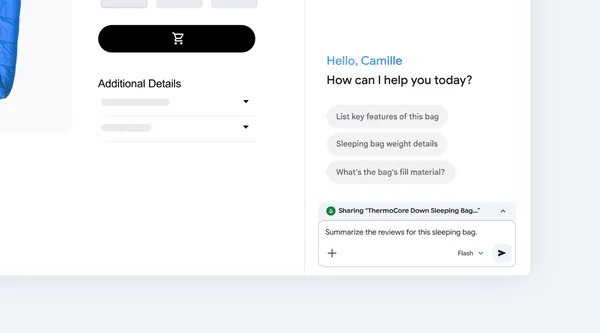
Google added Gemini to the Chrome side panel so users can get quick answers on any website. It summarizes articles, compares products, and explains complex topics directly in the browser.
How it works
Users open the Chrome side panel while browsing any website to interact with Gemini. From the panel, they can ask for quick answers, summarize articles, compare products, and get explanations for complex topics.
Chrome users who want to summarize pages, compare products, or research topics while browsing.
Availability
Sources
1 merged into this cardMore from Google
GoogleAvailableGemini CLI /stats heatmap subcommand
Google added a /stats heatmap subcommand to Gemini CLI v0.69.0 to track daily token usage. It lets developers monitor their token consumption directly from the command line.
GoogleAvailableGemini CLI adds standalone theme.json support
Google's gemini-cli v0.69.0 adds support for a standalone theme.json configuration file. Users can now define custom themes in a dedicated file.
 GoogleAvailable
Gemini 4 Neon
Google's new Gemini 4 model pairs a 1M-token context window and four thinking levels with lower cost per task. It scores 61 on the AA Intelligence Index and targets complex coding, analysis, and cyber workflows.