 Google
Direct file editing and previews in Gemini
In brief
Gemini users can now preview, manually edit, and instruct AI to refine documents, spreadsheets, PDFs, and code directly inside the chat interface.
How it works
Users can expand files to full screen to type edits manually or highlight specific text to prompt Gemini for revisions. Gemini can update text, modify visuals, or answer questions about selected sections. PDF editing works on web and mobile, while all other file formats are web-only.
Gemini users who want to review and edit generated or uploaded files without leaving the chat.
Availability
Sources
2 merged into this cardMore from Google
 GoogleAvailable
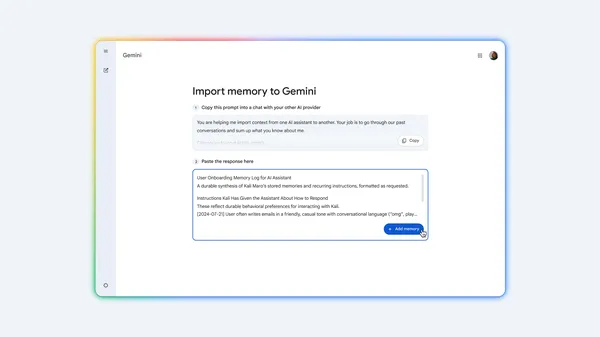
Gemini chat history and memory import
Google added tools to import chat history, context, and preferences from other AI assistants into Gemini. Users can bring over past conversations and tailored instructions without starting from scratch.
 GooglePreview
Tool Retrieval in the Gemini API
Gemini's Interactions API now supports on-demand loading of tool parameter schemas. Agents with large tool libraries can keep schemas out of context until needed, cutting input tokens, latency, and selection errors.